Ideogram 4.6: precise edits, exact colors

Ideogram 4.6 is Ideogram's newest image model, released November 19, 2026. It is built for editing: change one thing and the rest of the picture stays where it was. Try it in the generator below.

Number of outputs

Production preview

Result

Ideogram 4.6 at a glance

What Ideogram announced, and what you can use on this site today. Checked November 21, 2026.

Released
November 19, 2026
Seven weeks after Ideogram 4.5, which came out on September 30. It is available in the Ideogram app, through Ideogram's API and on fal.
Made for
Editing an image again and again
Ideogram describes 4.6 as an image generation and editing model for precise creative control: make a focused change, look at it, make the next one.
Inputs
A prompt, plus up to five images
With images attached, Ideogram 4.6 edits the first one and uses the others as references. Without images it makes a new picture from your text.
Quality
Low, Medium or High here
Ideogram also offers a Very low tier. Higher tiers take longer and cost more per image.
Resolution
Up to 4K at Ideogram; up to 2K here
Ideogram says 4.6 text-to-image output is native 4K, not upscaled. Here a new Ideogram 4.6 image is up to 2048 pixels on the long side, such as 2048×1536 at 4:3, and an edit comes back at the size of the image you upload.
Masks
Not on this site yet
Ideogram 4.6 Precise Edit at Ideogram can take a mask so only a painted area changes. Here you describe the area in words instead, and the edit still keeps the rest of the image.
Open weights
Not released as of November 21, 2026
Ideogram released Ideogram 4.0 with open weights on June 3, 2026. A Reddit thread says 4.6 weights are coming, but there is no download or official date yet.
What changed

What's new in Ideogram 4.6

Ideogram 4.6 keeps what 4.5 was good at, text you can read and edits that stay put, and pushes on four things: drift, color, product work and realism.

Edits that leave the rest of the image alone

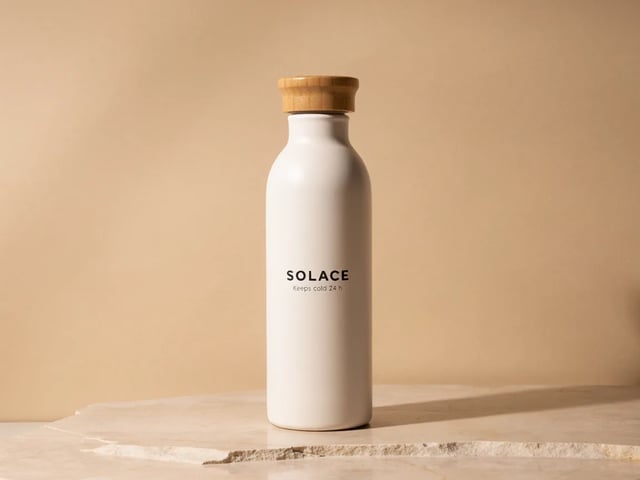
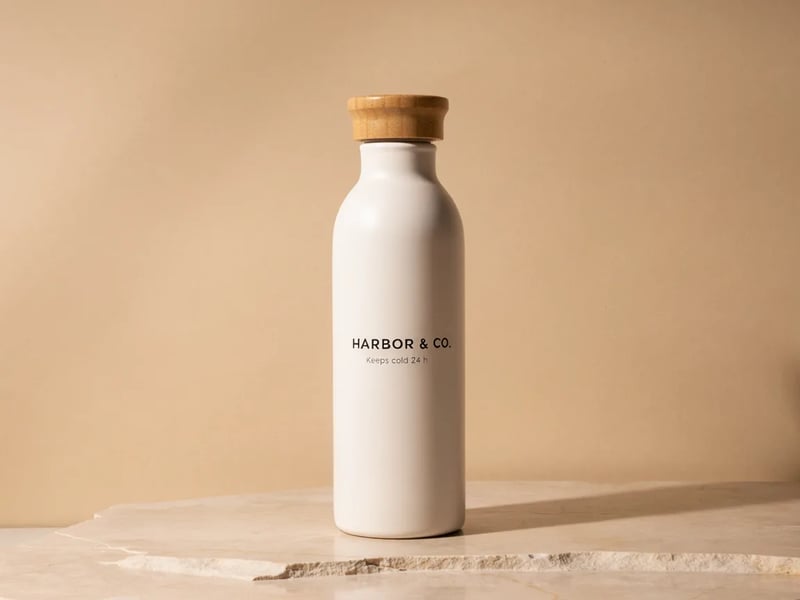
Every Ideogram 4.6 edit is meant to touch only what you ask for. Ideogram says there is less pixel drift outside the edit than in 4.5, so a face, a label or a background survives edit after edit. In our run below, the wall and the edges of the photo came back pixel for pixel identical after a recolor and a relabel. To be fair, 4.5 did the same on those two edits; the difference showed up in how well each model did the change itself.

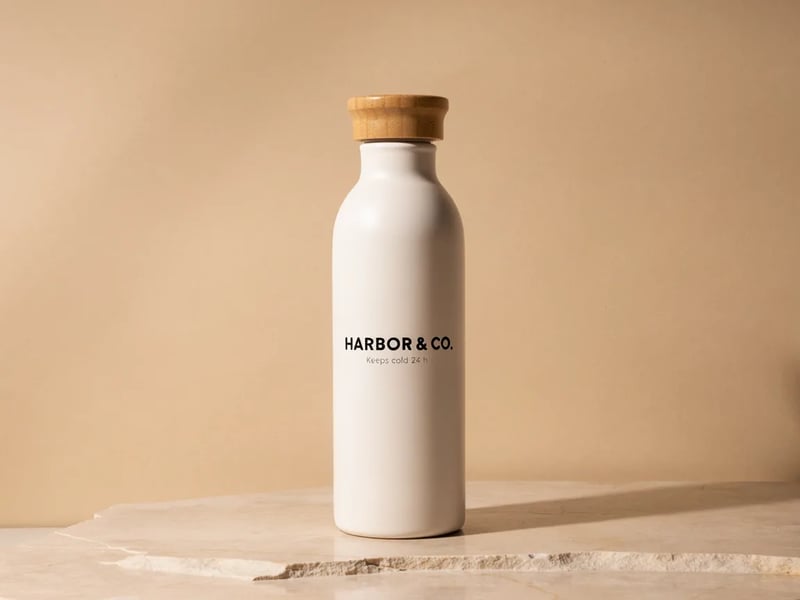
Ideogram 4.6 edit: the white bottle on a stone slab now reads HARBOR & CO. instead of SOLACE, with the line Keeps cold 24 h, the cap and the beige wall unchanged

Brand colors that match the hex code

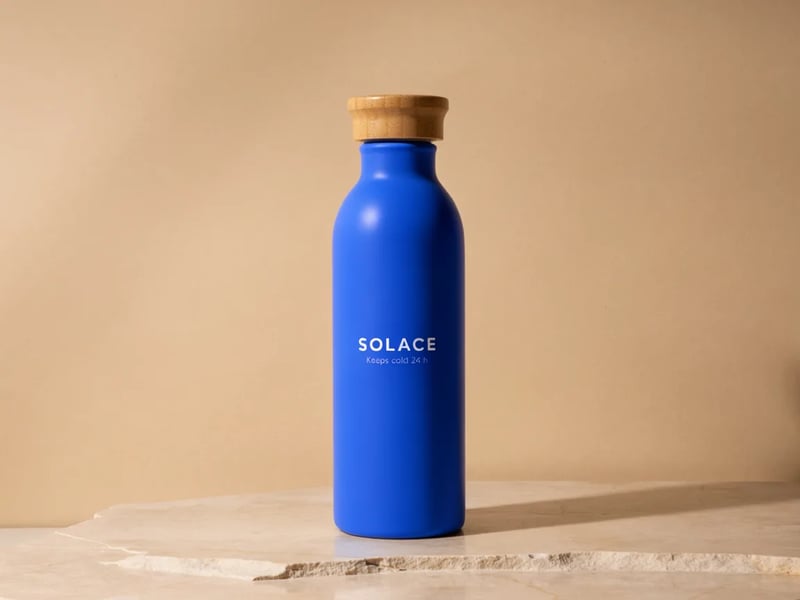
Give Ideogram 4.6 a hex code and it aims for that exact color. Ideogram reports that 4.6 recolored to an exact brand hex in 83% of tries, up from 46% on 4.5. In our recolor to #1E5EFF, the lit side of the bottle on 4.6 measured #0F62EC, close to the target; lighting still darkens the shadow side, so judge the color where the light hits.

Ideogram 4.6 edit: the same bottle recolored to a saturated blue, with the bamboo cap, stone slab and beige wall unchanged

Product shots and small fixes

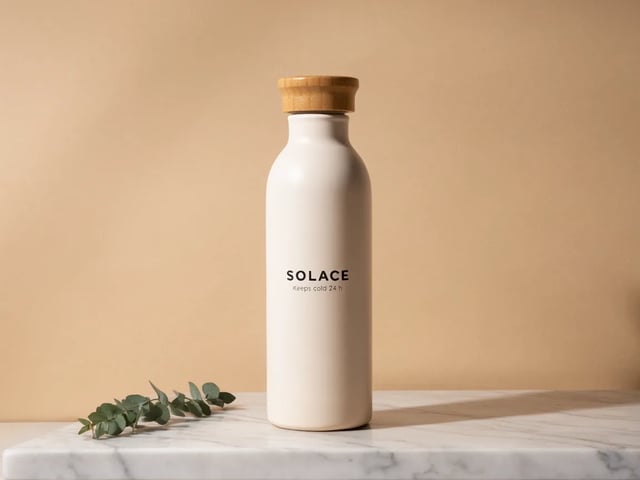
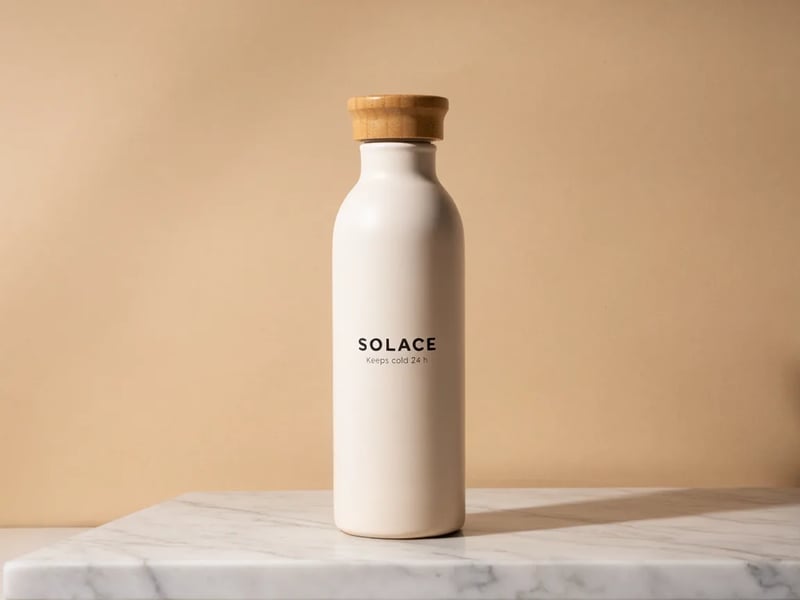
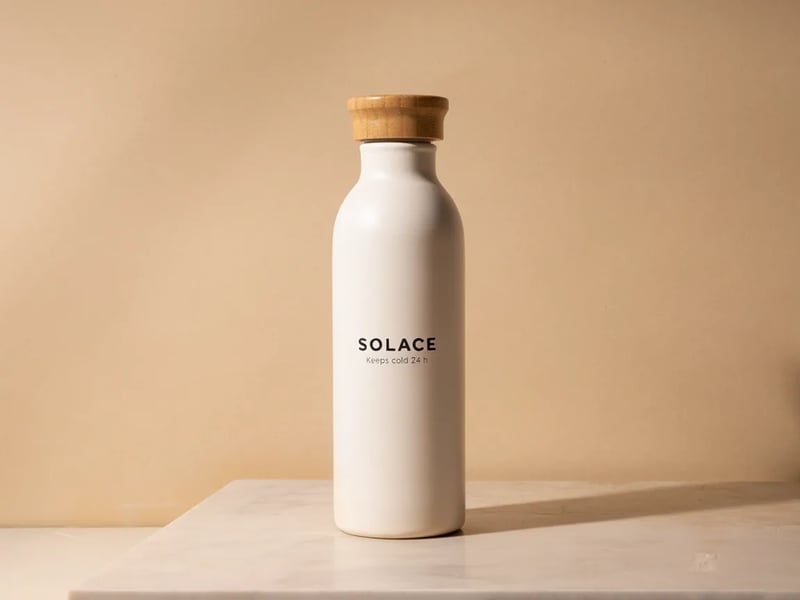
Product work is where Ideogram puts most of its numbers: staging, restyling and relabeling a product gave a usable result 88% of the time on 4.6 against 66% on 4.5, and repairing a small defect 86% against 61%, by Ideogram's own count. In our three-step test, 4.6 turned a stone slab into a clearly white marble countertop with grey veins, while the bottle and its label stayed unchanged to the eye.

Ideogram 4.6 edit: the SOLACE bottle now stands on a white marble countertop with grey veins, in front of the same beige wall

Realism and texture

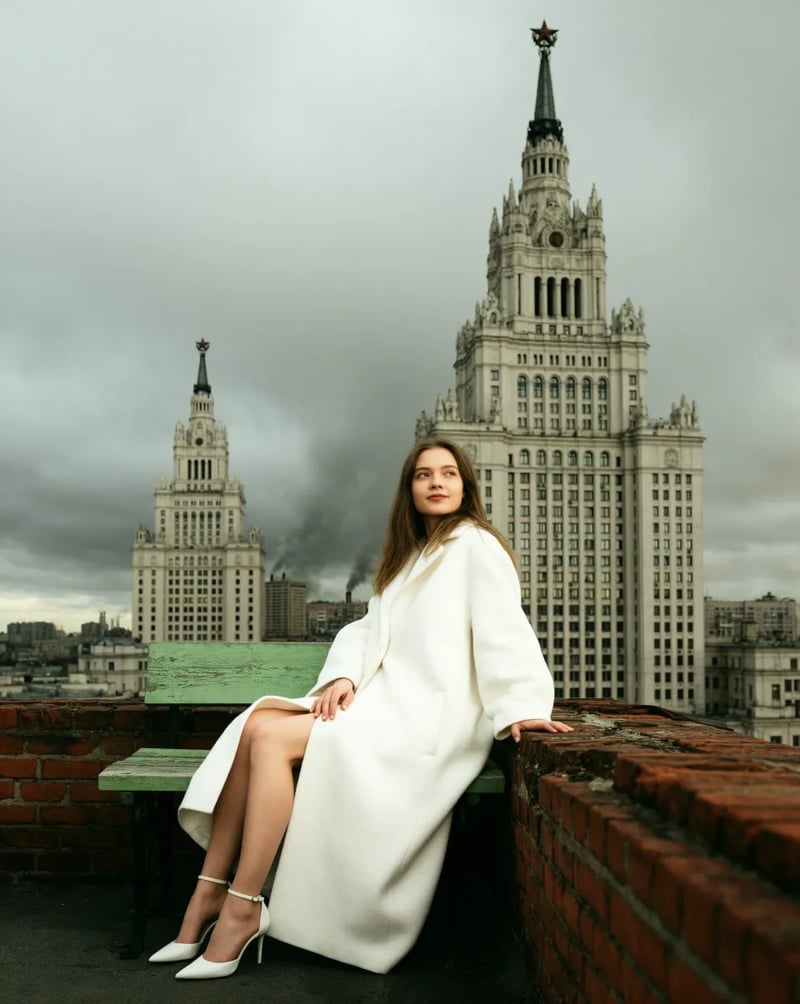
Ideogram says 4.6 drops the airbrushed AI look: visible pores, fine lines and fabric texture, with more detail than any earlier Ideogram model. This sample is from Ideogram's 4.6 page. On this site Ideogram 4.6 runs up to 2K, not 4K.

Ideogram's official 4.6 sample: a woman in a long white wool coat on a green bench beside a brick parapet, tall spired towers under grey clouds
Side by side

Ideogram 4.6 vs 4.5: what changed

The five success rates are Ideogram's own tests: how often each model gave a usable result at High quality on the same requests. They are not independent measurements, and the Rapidata gap is within its margin of error. The last rows are this site.

NewIdeogram 4.6Released Nov 19, 2026Run Ideogram 4.6Ideogram 4.5Released Sep 30, 2026Use Ideogram 4.5
Recolor to an exact brand hex (Ideogram's test)83%46%
Keep a character the same across edits (Ideogram's test)85%69%
Stage, restyle or relabel a product (Ideogram's test)88%66%
Repair a small product defect (Ideogram's test)86%61%
Change only a masked area (Ideogram's test)90%82%
Rapidata multi-step edit leaderboard (Nov 17, 2026)1,892 ±32, ranked first1,866 ±30
New image size on this siteUp to 2K, e.g. 2048×1536 at 4:3About 1 megapixel, e.g. 1152×864 at 4:3
Credits per image here (Low / Medium / High)6 / 15 / 20 (a High edit: 45)6 / 15 / 50
Our test

We ran the same edits on 4.5 and 4.6

One source photo, the same three edit prompts, Medium quality, the first result from each model. Each edit took 18 to 24 seconds on both. Ideogram 4.5 is on the left, Ideogram 4.6 on the right.

Prompt: "Recolor the bottle body to the exact brand blue #1E5EFF. Keep the label text, the bamboo cap, the stone slab, the wall, the light and the shadows exactly the same." On the lit side, 4.6 measured #0F62EC and 4.5 #457CF4, so 4.6 came closer to the hex. 4.6 also kept the label black, as the prompt said, which is hard to read on blue; 4.5 switched the label to white on its own. If you want the label to change too, say so in the prompt.

Ideogram 4.5
Ideogram 4.5 recolor: the bottle in a lighter blue, with the SOLACE label turned white
Ideogram 4.6
Ideogram 4.6 recolor: the bottle in a deeper, saturated blue, with the SOLACE label kept black
Prompt patterns

Ideogram 4.6 prompts for precise edits

An Ideogram 4.6 edit works best as two parts: one change, then a keep list. These three patterns are the ones we used above; swap in your own product, words and colors.

Recolor to a brand color

Name the part, give the hex code, then list everything that must not move. If text sits on the part you recolor, say what color the text should be, or Ideogram 4.6 will keep it as it is, even when it becomes hard to read: that is what happened here. Check the color on the lit side of the object, not in the shadow.

Prompt we ran

Recolor the bottle body to the exact brand blue #1E5EFF. Keep the label text, the bamboo cap, the stone slab, the wall, the light and the shadows exactly the same.

To fix the label
Add "Make the label text white." before the keep list.
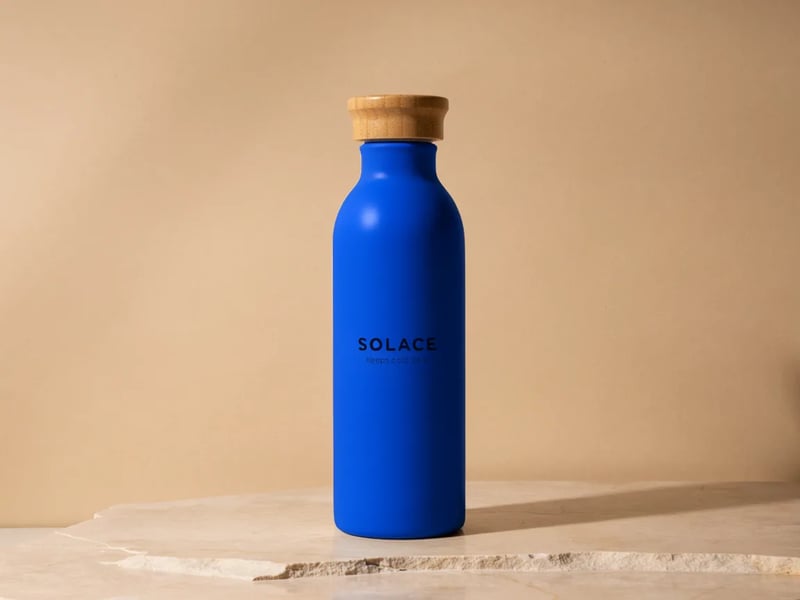
Ideogram 4.6 result of the recolor prompt: the bottle in saturated blue with its label still black

Change the words on a product

Quote the old text and the new text exactly, and ask to keep the font, size and position. Mention any other line on the label by its words, so the model knows to leave it. Read every letter of the result before you use it; a single wrong letter is easy to miss at a glance.

Prompt we ran

Change the large label text from SOLACE to HARBOR & CO. Keep the font, size and position of the text, the line Keeps cold 24 h, the bottle and everything else exactly the same.

Ideogram 4.6 result of the relabel prompt: the bottle label reads HARBOR & CO. above Keeps cold 24 h

Build a scene one edit at a time

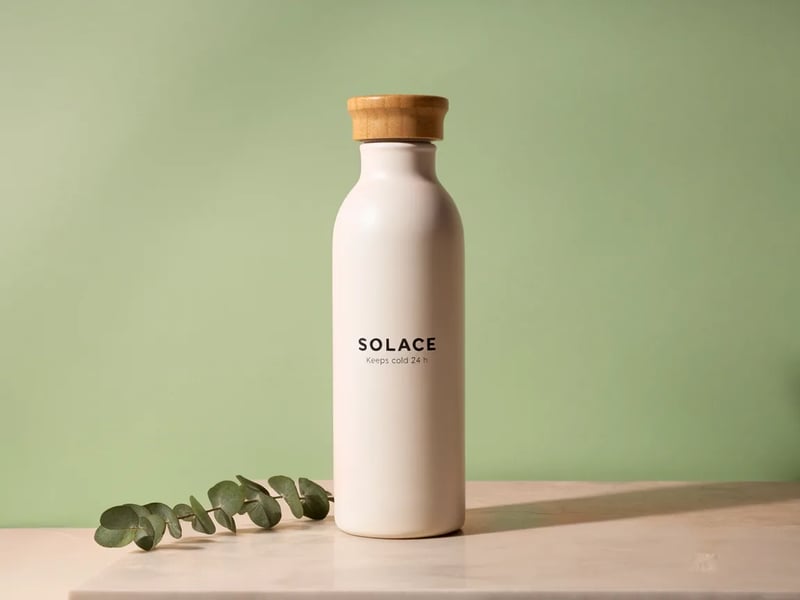
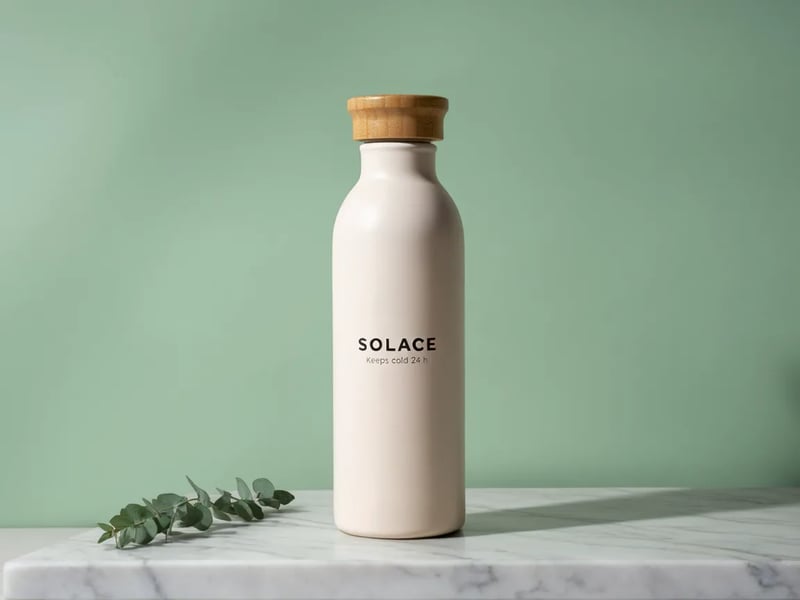
Make one change per edit and run the next edit on the result, not on the original. In each prompt, name what you added in earlier rounds in the keep list, so it survives the next change. That is how we built this scene: three short edits, each run on the result of the one before.

Prompt (third of three)

Change the wall to a soft sage green. Keep the bottle, the label, the eucalyptus and the countertop exactly the same.

Ideogram 4.6 after three edits: the SOLACE bottle with a eucalyptus sprig on white marble in front of a sage green wall
FAQ

Questions about 4.6

Make your next edit with Ideogram 4.6

Upload a photo, write one change and a keep list, and check the result before the next edit.